FMEA Software for Design and Process Risk
Failure Mode and Effects Analysis is only useful if it stays connected to the process it describes and the controls it demands. EasyQualityFlow holds DFMEA and PFMEA as controlled documents built on the same operations your control plan uses.
Already have an account? Login
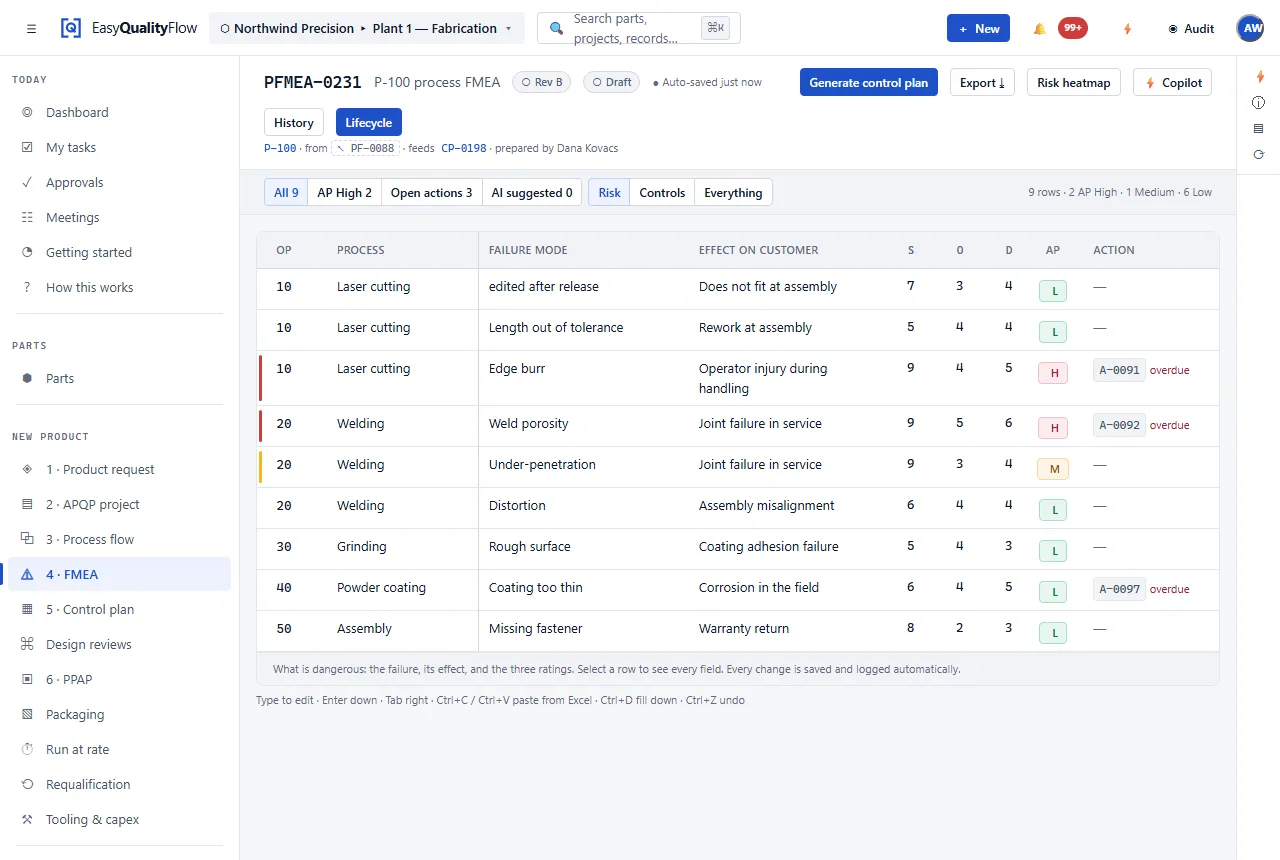
The FMEA that nobody opens between audits.
An FMEA goes stale in a specific way. The process changes, the control plan gets updated because the shop needs it to be right, and the FMEA — which is the document that was supposed to justify the control — is updated last, or not at all. By the next audit the two documents describe different factories.
When the FMEA and the control plan are built on the same operation list, that drift becomes visible instead of invisible. And when the FMEA is a controlled document with a revision and a review state, "we updated it" is a fact with a date on it rather than a claim.
DFMEA and PFMEA
Design and process analysis in one place, each with its own structure and both against the same part.
AIAG-VDA structure
Failure mode, effect, cause, prevention control, detection control, risk evaluation and action.
Built on your operations
PFMEA rows attach to the process operations you have already defined, rather than a free-text list.
Revisions
Revision A, B, C — each a real revision of a controlled document, with history.
Draft → Review → Released
A review workflow, so a released FMEA is one somebody actually approved.
Actions that close
Recommended actions carry an owner and a state, and closing one is recorded.
FMEA is stage three, between the plan and the controls.
The plan says a PFMEA is owed. The process supplies the operations it analyses. The control plan is where its detection controls end up. Sitting in the middle is what makes it worth maintaining.
- DFMEA and PFMEA against the same part record
- Rows attached to real process operations
- Revision control with change history
- Draft, Review and Released states
- Actions with owners and closure
- High-risk items carried into the control plan
Connected capabilities
Every one of these works on the same record. That is the point of the platform.
Questions about FMEA software
What is an FMEA?
What is the difference between DFMEA and PFMEA?
Does the software use Action Priority or RPN?
Can an approved FMEA be edited?
Is the FMEA connected to the control plan?
Keep your FMEA connected to the process it describes.
Bring APQP, FMEA, PPAP, process flow, control plans, inspection and SPC into one connected platform.
Questions? support@easyqualityflow.com