PFMEA Software Built on Your Process
Process FMEA works operation by operation. If it is not built on the operation list your process flow and control plan use, it will describe a different factory within a year.
Already have an account? Login
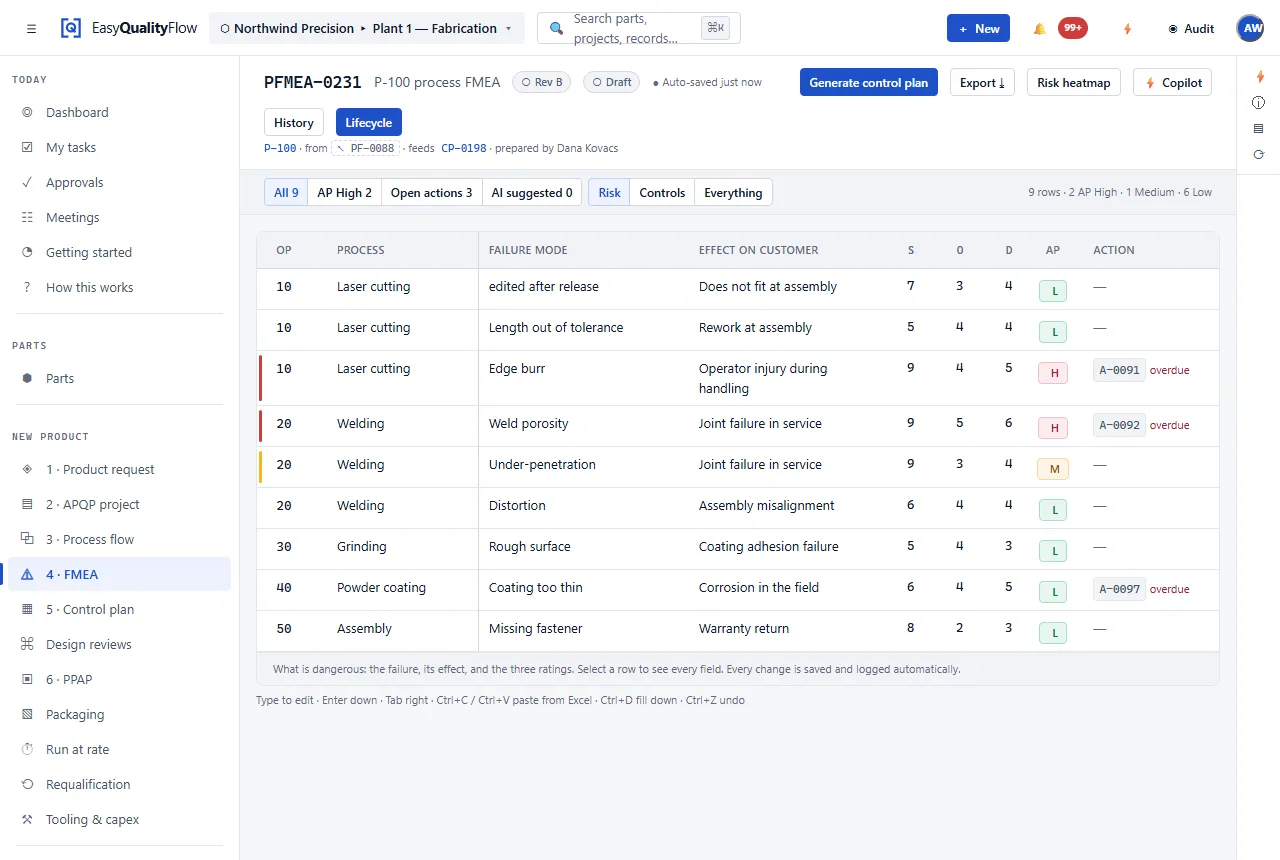
A PFMEA typed into a blank template starts drifting immediately.
The usual sequence is: define the process in one file, re-type the operations into an FMEA template, then re-type them again into a control plan template. Three files, one process, and three chances for the operation numbering to disagree.
Deriving the PFMEA from the process flow removes two of those transcriptions. The operations are the same operations. When operation 30 changes, both documents are pointing at the same thing that changed.
Rows on real operations
Every PFMEA row attaches to an operation in your process flow, not a free-text step name.
Derived, not re-typed
Operations and their characteristics carry into the analysis, so you start from your own data.
Prevention and detection
Both control types recorded separately, because they do different jobs.
Risk evaluation
AIAG-VDA structure with Action Priority as the evaluation output.
Straight into the control plan
Detection controls carry forward, so the plan reflects the analysis that justified it.
Revisions and review
Revision control with a Draft → Review → Released workflow.
PFMEA sits between process definition and control.
The process flow says what the operations are. The PFMEA says what could go wrong at each one and what would catch it. The control plan is that answer, written as instructions for the shop.
- Rows attached to real process operations
- Characteristics inherited from the operation
- Prevention and detection controls held separately
- Detection controls carried into the control plan
- Revision control and review workflow
- Actions with owners and recorded closure
Connected capabilities
Every one of these works on the same record. That is the point of the platform.
Questions about PFMEA software
What is a PFMEA?
Why should a PFMEA be built on the process flow?
Does the PFMEA update the control plan automatically?
How are revisions handled when the process changes?
Build process risk analysis on your real operations.
Bring APQP, FMEA, PPAP, process flow, control plans, inspection and SPC into one connected platform.
Questions? support@easyqualityflow.com