PPAP Software for Part Submission
A submission is a list of required elements, and most of them are documents your team already produced. EasyQualityFlow builds the package from those records instead of asking someone to collect them from folders the week it is due.
Already have an account? Login
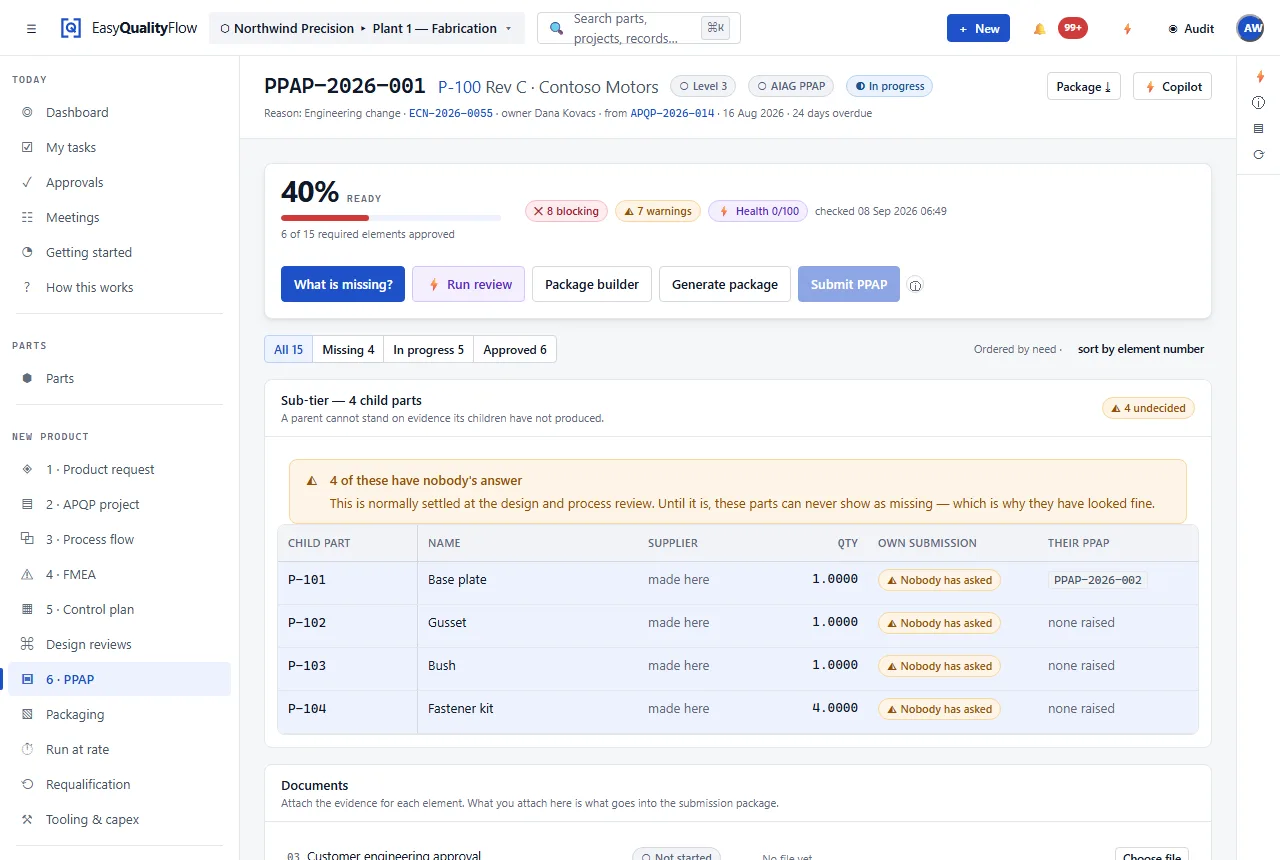
Two customers, two element lists, one process.
The hard part of PPAP is rarely producing the documents. It is that every customer wants a slightly different set of them, named their way, in their order, approved by their required roles — and that knowledge usually lives in one experienced person’s head, or in a PDF of a customer manual nobody has re-read since 2019.
Holding those rules as a requirement profile against the customer turns that into configuration. The submission then knows what it owes, and can tell you what is missing before the customer does.
Elements from the customer profile
Which elements are required is read from that customer’s requirement profile, not from a generic checklist.
Evidence, linked
An element points at the record that satisfies it — the actual PFMEA at the actual revision, not a copy.
Submission level
The level is part of the record, and it changes which elements are required.
Approval state per element
Each element carries its own state, so a package can be partly approved without being wrongly called ready.
What is outstanding
The gap is the thing you need to see. Outstanding elements are listed as work.
Part Submission Warrant
The warrant sits with the submission it belongs to.
PPAP is last, and that is the whole idea.
By the time a submission is assembled, the process flow, the PFMEA, the control plan, the MSA studies, the capability studies and the inspection results already exist. The submission references them rather than recreating them.
- Required elements driven by the customer requirement profile
- Evidence linked to the source record and revision
- Outstanding elements visible as work
- Approval state tracked per element
- Customer-specific naming and sequence via form templates
Connected capabilities
Every one of these works on the same record. That is the point of the platform.
Questions about PPAP software
What is PPAP?
What are PPAP submission levels?
How does the software know what my customer requires?
Does it automate the whole submission?
Can we use it for customers who are not automotive?
Stop assembling submissions by hand.
Let the package build itself from the records your team has already produced.
Questions? support@easyqualityflow.com